반응형
import cv2
import numpy as np
import matplotlib.pyplot as plt
import os

# 현재 스크립트 파일의 디렉토리 기준으로 이미지 경로 설정
script_dir = os.path.dirname(os.path.abspath(__file__))
image_path = os.path.join(script_dir, 'image.jpg')

# 이미지 불러오기 (컬러)
image_color = cv2.imread(image_path, cv2.IMREAD_COLOR)
image_gray = cv2.cvtColor(image_color, cv2.COLOR_BGR2GRAY)  # 그레이스케일 변환

if image_color is None:
    print("Failed to load image.")
    exit()

# Harris 코너 검출
gray_float = np.float32(image_gray)
harris_corners = cv2.cornerHarris(gray_float, blockSize=2, ksize=3, k=0.04)

# 코너 강도를 정규화하여 더 명확하게 보기
harris_corners_normalized = cv2.normalize(harris_corners, None, 0, 255, cv2.NORM_MINMAX)
harris_corners_normalized = harris_corners_normalized.astype(np.uint8)

# 기존 방식으로 Harris 코너를 빨간색으로 표시
image_with_red_corners = image_color.copy()
image_with_red_corners[harris_corners > 0.01 * harris_corners.max()] = [0, 0, 255]

# 코너가 강한 부분을 표시 (채도가 낮은 색)
image_with_low_saturation_corners = image_color.copy()
image_with_low_saturation_corners[harris_corners_normalized > 100] = [192, 192, 192]

# 세 이미지를 나란히 배치하며 구분선 추가
height, width = image_color.shape[:2]
combined_image = np.zeros((height, width * 3 + 20, 3), dtype=np.uint8)

# 첫 번째: 원본 이미지
combined_image[:, :width, :] = image_color
# 두 번째: 기존 빨간색 코너 표시
combined_image[:, width+10:width*2+10, :] = image_with_red_corners
# 세 번째: 낮은 채도의 코너 검출 이미지
combined_image[:, width*2+20:, :] = image_with_low_saturation_corners
# 구분선: 흰색
combined_image[:, width:width+10, :] = 255
combined_image[:, width*2+10:width*2+20, :] = 255

# 결과 시각화
plt.figure(figsize=(20, 8))
plt.imshow(cv2.cvtColor(combined_image, cv2.COLOR_BGR2RGB))
plt.title('Original, Red Corners, and Low Saturation Corners')
plt.axis('off')
plt.tight_layout()
plt.show()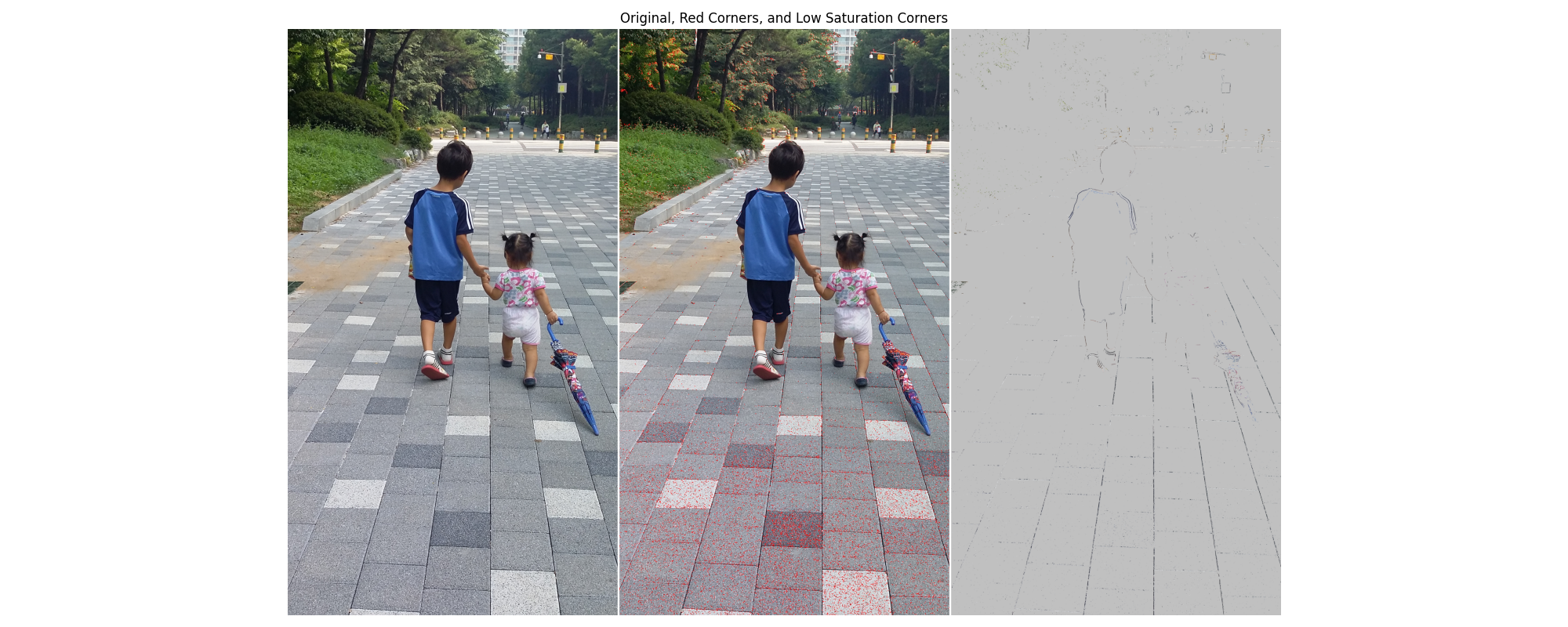
반응형
'라즈베리파이' 카테고리의 다른 글
| laplacian.py (0) | 2025.09.20 |
|---|---|
| mediapip.py (0) | 2025.09.19 |
| point_mediapipe.py (0) | 2025.09.19 |
| sobel.py (0) | 2025.09.19 |
| 라즈베리파이 5에서 tensorflow가 설치된 opencv 개발환경 설정 (0) | 2025.09.19 |